
Updated: September 20, 2026
Speed ramping and retiming are techniques used in Miami video editing.
Speed is one of the quietest tools an editor has. Slow a clip down, and a routine moment turns cinematic. Speed up a section, and dead time disappears. Blend the two with a smooth ramp, and a cut suddenly has rhythm. Retiming encompasses all of this and appears in almost every polished piece, from a wedding highlight to a product launch. When people search for slow-motion video editing in Miami or ask how to create a speed ramp, they are usually seeking that specific feeling where the footage breathes on cue.
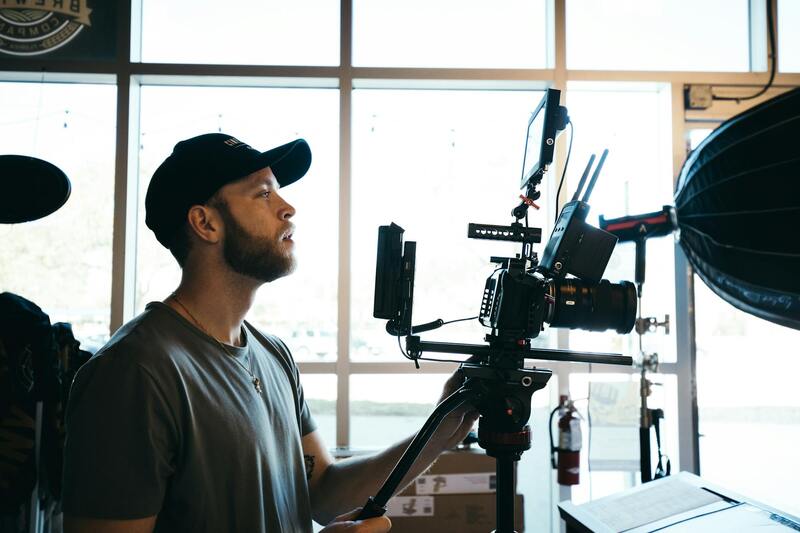
This article explains how retiming works, why some clips slow down beautifully while others deteriorate, and how to shoot footage that has the room to be retimed. The second half covers how our Miami editors handle speed ramping when you provide the raw files.
What retiming and speed ramping mean
Retiming refers to any deliberate alteration in the speed at which a clip plays. Slow motion stretches time, so a two-second action can fill five seconds. Fast motion, sometimes called a timelapse when it is extremely fast, compresses long stretches into a few seconds. A speed ramp is the gradual transition between two speeds within a single shot, where the clip smoothly glides from normal pace into slow motion and back again without a visible jump.
The ramp is key to giving modern edits their dynamic feel. A skateboarder rolls at full speed, and the moment they leave the ramp, the footage transitions smoothly into slow motion so you can see the trick. Then, it snaps back to real time upon landing. This entire move is accomplished through a few speed keyframes on the editor's timeline. However, getting it to feel natural rather than jerky requires some careful handling.
Frame rate is where it starts
Smooth slow motion depends on how the footage was recorded, not solely on the editing process. A clip filmed at 24 frames per second lacks extra frames, so slowing it down forces the software to invent the missing ones, which can result in a smeared image. Conversely, a clip filmed at 60, 120, or 240 frames per second carries extra frames that can be spread across a longer duration without any frames being made up. This is why the question of how to shoot for slow motion always comes back to frame rate.
- Footage at 24 or 30 fps is suitable for small speed changes but inadequate for heavy slow motion.
- 60 fps offers comfortable slow motion, reducing the speed to roughly 40 percent.
- 120 fps provides robust slow motion, ideal for action sequences, sports events, and detailed close-ups.
- 240 fps and higher: extreme slow motion for capturing water, impacts, and hero moments in detail.
If you know a shot will be played in slow motion, record it at a high frame rate on set. Retiming a clip that was captured at the right speed always produces better results than asking software to guess. Additionally, it saves on the budget you would otherwise spend fixing motion artifacts.
Optical flow and its limits
When real frames are insufficient, editors often turn to frame interpolation, commonly known as optical flow. The software examines the motion between two frames and generates new frames in between. This method performs well on clean, simple movements. However, it can distort edges and create visual artifacts when dealing with overlapping motions, fine details, or fast-moving hands crossing the frame. A skilled editor will test each retimed clip and switch between different interpolation methods rather than relying on a single setting for all shots. Recognizing when optical flow will fail is a critical part of the editing process.
Shutter speed and clean slow motion
The frame rate determines how much you can stretch a clip, while shutter speed affects how the slowed frames actually appear. A high frame rate shot with a shutter speed that's too slow will have motion blur baked into every frame. This blur will remain once the clip is slowed down. For crisp slow motion, the shutter speed is usually set around twice the frame rate. For example, a 120 fps clip is typically shot near a 1/240 shutter speed. This setting should be locked before the shoot, as no amount of editing can remove blur that the sensor has already recorded. When clients ask why their slow motion looks soft even at a high frame rate, the shutter speed is almost always the reason.
Where retiming earns its keep
Different projects use speed for various reasons. Understanding the intent helps ensure that the effect does not feel like a gimmick.
| Project type | Typical use of speed |
|---|---|
| Wedding and event films | Slow motion captures emotional beats, intensifying key moments. |
| Product and brand videos | Ramps can draw the eye to a particular feature or gradually reveal it. |
| Sports and action | Heavy slow motion on the trick, with fast cuts between scenes. |
| Corporate and interview | Subtle speed trims to tighten pacing, gentle B roll slow downs |
| Social and vertical | Quick ramps that hit the beat of the track |
Music matters here too. Ramps that land on a beat feel intentional, so retiming and the sound edit are usually built together. That connection is why our speed work sits close to sound design for video, where the hit of a slow motion moment is timed to the track rather than dropped in at random.
Our Miami editors can retime your footage.
If you have clips that require slow motion, speed ramps, or a faster pace, our team will handle the retiming as part of the edit. We check the frame rate of every clip, opting for real frame stretching where the footage allows it, and interpolation only where it holds up. We time each ramp to the cut and the music, ensuring the effect feels earned. The result is footage that moves the way you envisioned it, rather than a set of stuttering slow motion clips.
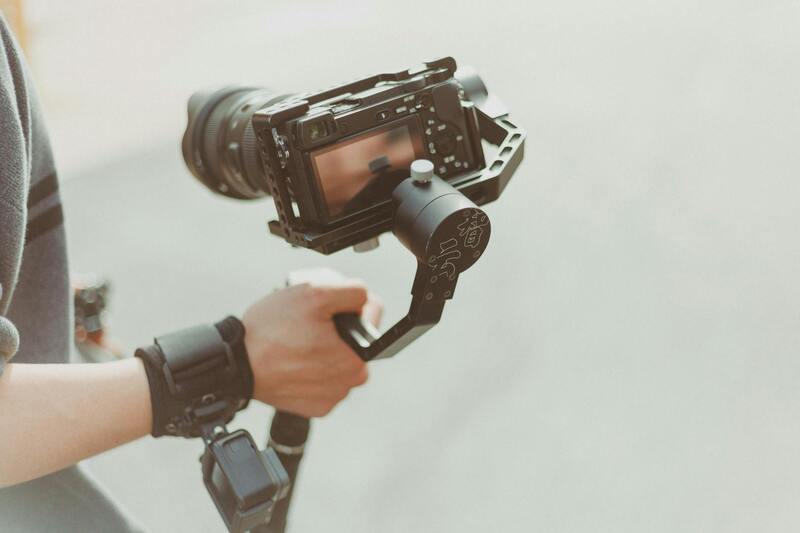
Speed work rarely travels alone. Once the pacing is set, the look gets locked with color grading, and the whole cut moves through the stages laid out in our Miami editing workflow, with review versions and notes rounds along the way. For a broader look at what our editors take on, from assembly to finishing, see our video editing services in Miami.
How to hand over slow motion footage
The cleaner the source, the better the retiming. To achieve the smoothest result, send the original high frame rate files rather than exports. Let us know which shots you want slowed down so we can prioritize the right clips. Additionally, include a reference edit or track if the pacing needs to match a specific feel.
More editing and post-production guides live on our blog, you can meet the team on the about page, and footage details go through contact. When you want to revisit the details, this speed ramping and retiming guide stays at its own page for reference.